



Compact Thermal Management in Smart Devices: Common Failure Risks




Compact Thermal Management in Smart Devices: Common Failure Risks
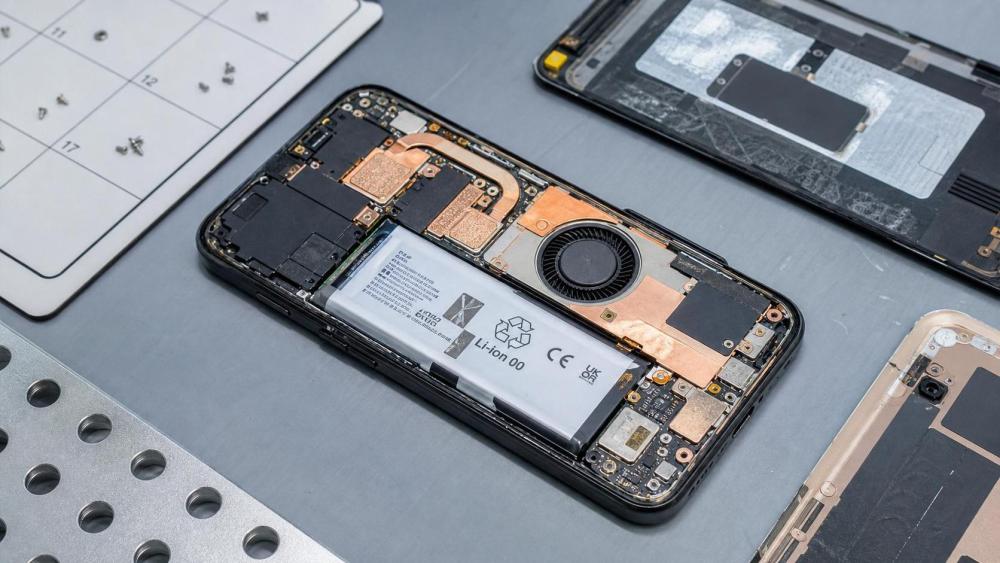
As devices shrink, power density rises faster than many service routines evolve.
That is why smart device thermal management compact design now creates very specific repair risks.
A thin chassis may look efficient from the outside.
Inside, it often leaves almost no margin for airflow, insulation drift, or mounting errors.
For service work, the challenge is rarely heat alone.
The bigger issue is how compact thermal paths fail quietly before users notice obvious damage.
In practical terms, smart device thermal management compact layouts demand closer attention to symptom patterns.
A random reboot, weak charging speed, or unstable sensor reading may all trace back to heat stress.
This article focuses on the failure risks seen most often in compact thermal assemblies.
It also outlines what to inspect first, what tends to be missed, and how to lower repeat repair rates.
Why Compact Thermal Layouts Fail Faster
Traditional thermal systems had more physical tolerance.
Smart device thermal management compact architecture removes much of that buffer.
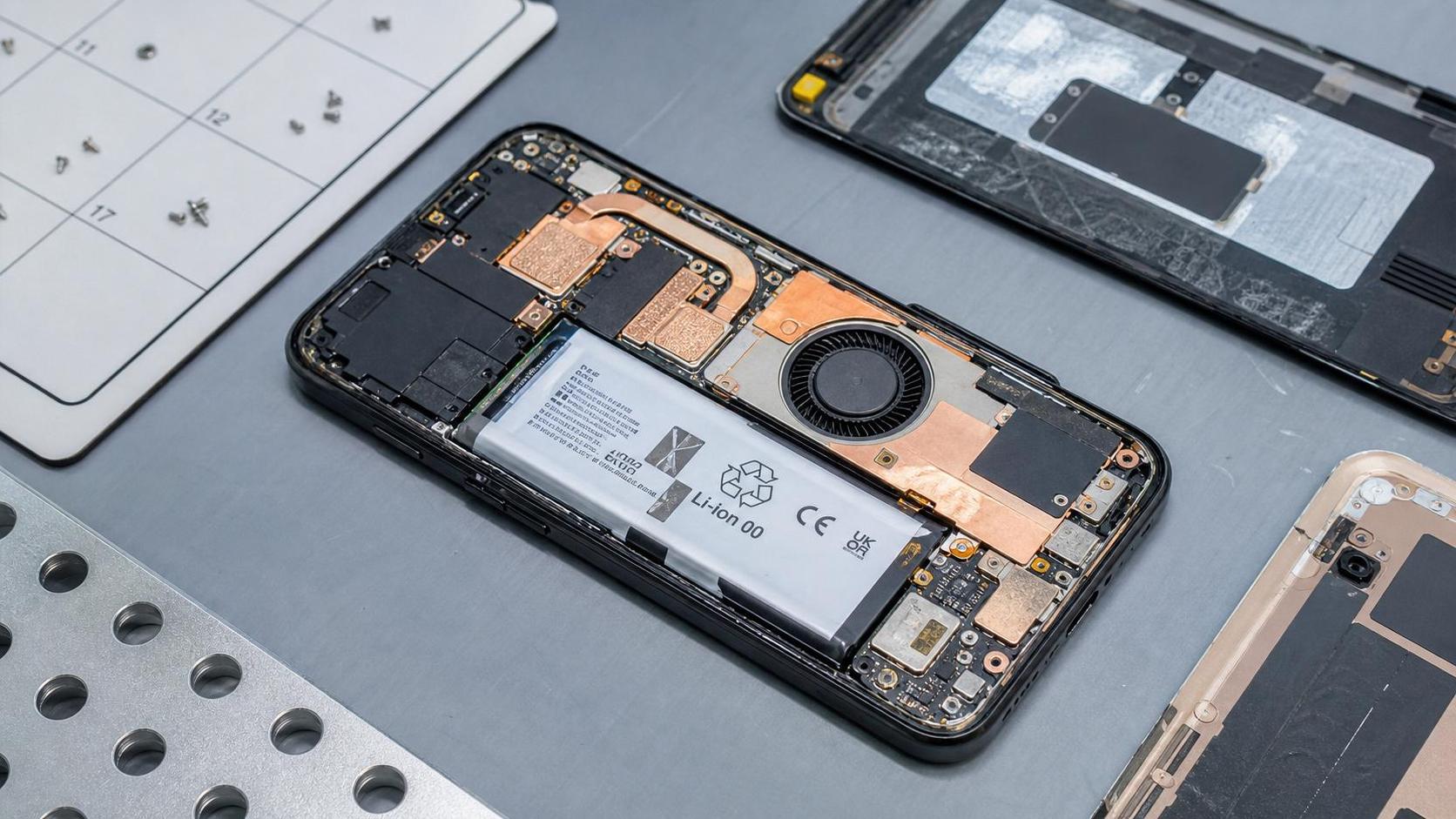
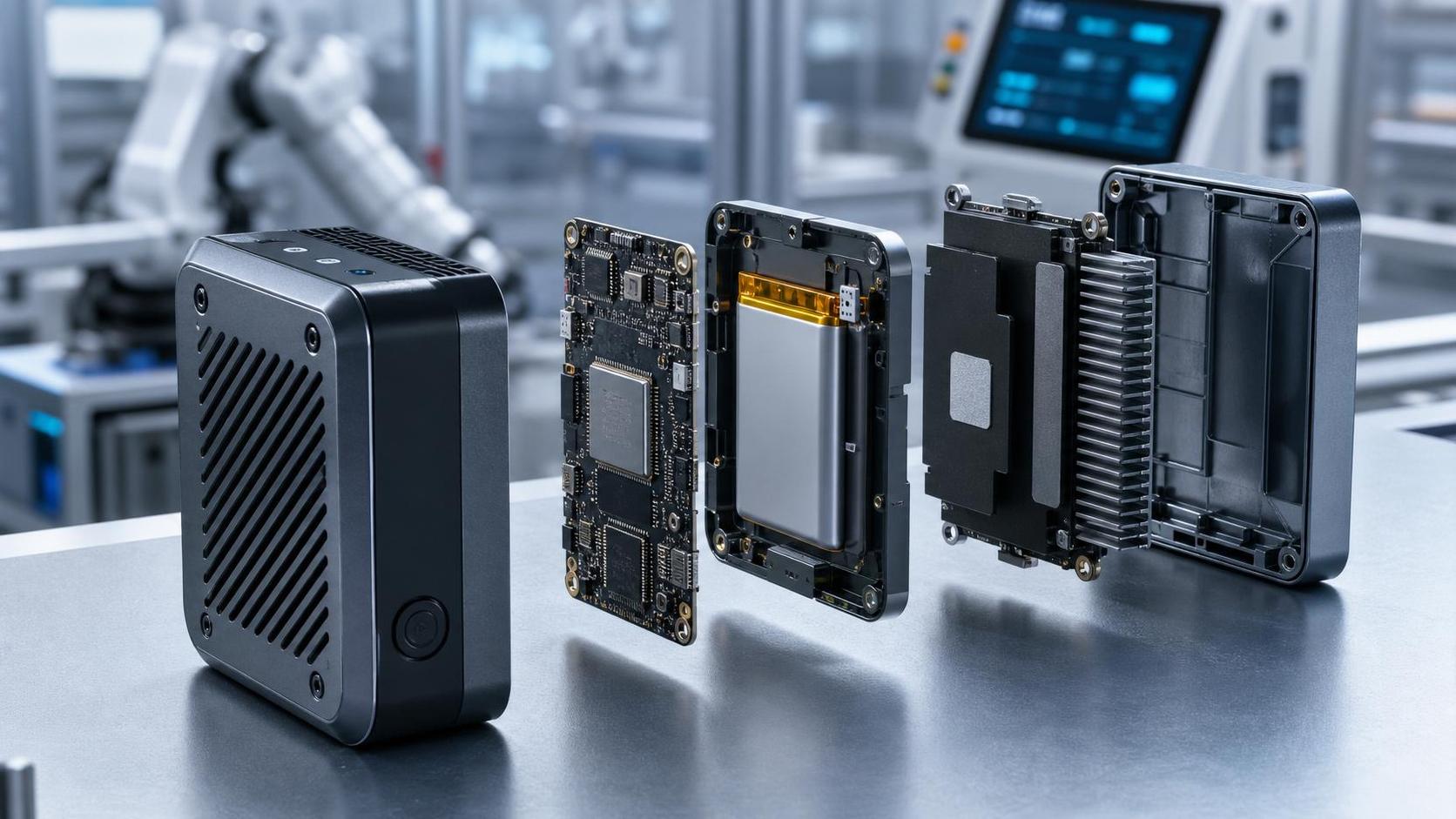
Heat sources now sit closer to batteries, processors, antennas, and camera modules.
A small shift in contact pressure or dust buildup can change the entire thermal balance.
More importantly, compact designs depend on exact heat transfer sequencing.
Heat must move from the source, across interfaces, into spreaders, then out through limited vents or housing surfaces.
If one step weakens, the whole chain loses efficiency.
That explains why compact cooling problems often appear disproportionate to the visible damage.
- Higher chip performance in smaller enclosures
- Reduced airflow volume and shorter vent paths
- Greater reliance on thermal pads, graphite, and adhesive films
- Closer coupling between thermal stability and power management logic
Common Failure Risk 1: Airflow Restriction and Dust Loading
Airflow issues remain the most familiar problem, yet compact devices make them harder to spot.
In smart device thermal management compact systems, vents are smaller and fan blades are lighter.
That means a thin layer of lint can cut performance earlier than expected.
The device may still power on normally.
However, thermal throttling starts sooner under charging, gaming, imaging, or data transfer loads.
A second pattern is partial blockage near outlet channels.
This creates hot spots instead of uniform temperature rise, which complicates diagnosis.
Useful checks include:
- Compare fan acoustics during idle and sustained load.
- Inspect vent edges, grille backing, and mesh corners.
- Look for dust patterns that suggest uneven airflow rather than total blockage.
- Check whether protective films or misaligned seals obstruct outlet paths after previous repair.
Common Failure Risk 2: Thermal Interface Degradation
Interface materials do critical work in compact assemblies.
Yet smart device thermal management compact builds give them very little room for aging or compression loss.
Pads can dry, creep, crack, or shift after repeated heating cycles.
Paste may pump out from the contact zone.
Graphite sheets can tear during disassembly, especially near fold points and screw bosses.
What makes this risk difficult is that visual wear may look minor.
Even so, thermal resistance may already be high enough to trigger unstable performance.
Watch for delayed heat dissipation after load removal.
That symptom often points to poor interface contact rather than fan weakness alone.
Common Failure Risk 3: Fan Fatigue and Micro-Blower Instability
Small fans fail differently from larger industrial units.
In smart device thermal management compact designs, micro-blowers operate at high speed with limited tolerance.
Bearing wear, rotor imbalance, and controller drift can start as intermittent issues.
Users often report heat before they notice noise.
That creates a false assumption that the thermal path is intact.
A fan may spin, yet still move less air than design target.
This is especially common after shock events, dust intrusion, or previous nonstandard replacement.
If temperature rises but outlet flow feels weak, fan performance should be measured, not assumed.
Common Failure Risk 4: Battery Heat Coupling and Charging Stress
Battery behavior is tightly linked to compact thermal control.
When smart device thermal management compact architecture runs near thermal limits, charging becomes less stable.
The battery may not be the original fault source.
It may simply absorb heat from adjacent processors, power circuits, or display drivers.
From a service perspective, this matters because symptoms overlap.
Slow charging, charge pauses, case warmth, and rapid power drop may suggest battery aging.
Still, the root cause can be poor heat extraction elsewhere.
A useful method is to compare charging temperature behavior under screen-off and high-load conditions.
If charging loss escalates sharply under system load, thermal coupling deserves closer inspection.
Common Failure Risk 5: Reassembly Errors After Repair
Many repeat failures appear after otherwise successful repair work.
Smart device thermal management compact assemblies are highly sensitive to reassembly accuracy.
A missing screw, wrong pad thickness, or twisted cable can alter pressure and airflow.
Even slight housing deformation may reduce contact between spreader and frame.
This is where many temperature complaints become expensive.
The unit may pass a quick startup check, then fail during real use hours later.
To reduce that risk, post-repair thermal verification should be routine.
- Confirm screw sequence and torque consistency
- Verify pad thickness against original specification
- Inspect cable routing near fan intake and exhaust paths
- Run a sustained thermal load test before release
How to Diagnose Compact Thermal Problems More Efficiently
Faster diagnosis starts with pattern recognition.
For smart device thermal management compact issues, single symptoms rarely tell the full story.
It helps to group failures by operating condition.
Ask when heat appears, how quickly performance drops, and whether charging changes the behavior.
Then move through the thermal chain in order.
- Check inlet and outlet airflow condition.
- Verify fan response under controlled load.
- Inspect interface materials and contact surfaces.
- Review battery temperature behavior during charging.
- Confirm reassembly accuracy and structural pressure points.
This sequence prevents over-focusing on the hottest component only.
In compact systems, the visible hot zone is not always the original thermal bottleneck.
Practical Service Priorities for Better Reliability
The real goal is not only fixing the current complaint.
It is improving reliability in future use.
That is where smart device thermal management compact service standards matter most.
Clear inspection routines, correct materials, and basic thermal validation can prevent many repeat returns.
Recent device trends point toward even tighter packaging and more aggressive performance control.
That means compact cooling failures will become more frequent, not less visible.
A disciplined approach works best:
- Treat overheating as a system issue, not a single-part issue
- Replace compromised thermal materials with specification-matched parts
- Document temperature behavior before and after repair
- Use load-based verification instead of idle-only checks
When compact thermal problems are handled this way, diagnosis becomes faster and repair quality improves.
In a market shaped by dense electronics, smart device thermal management compact practice is now a core reliability skill.
Related News
- How Smart Thermal Systems Improve Industrial Cooling EfficiencyAuthor :Cryogenic Systems Expert

- How to Choose Process Cooling Equipment for Stable Temperature ControlAuthor :Cryogenic Systems Expert

- EU Finalizes 2026 HFC Quota Cut for R-134a ChillersAuthor :Cryogenic Systems Expert

- EU Tightens HFC-134a Quotas for Industrial ChillersAuthor :Cryogenic Systems Expert

- REACH SVHC Update Pressures HFC-134a Chiller Supply ChainsAuthor :Cryogenic Systems Expert

- EU PFAS Coolant Ban Reshapes Chiller ExportsAuthor :Cryogenic Systems Expert

- EU REACH Restricts PFAS Cooling Media ImportsAuthor :Cryogenic Systems Expert

- EU Ecodesign Rule Takes Effect for Industrial ChillersAuthor :Cryogenic Systems Expert

- EU REACH Rule Takes Effect for PFAS in Industrial Cooling ExportsAuthor :Cryogenic Systems Expert

- Industrial Cooling for Plastic Processing: How to Size for Stable Cycle TimesAuthor :Cryogenic Systems Expert

- EU F-Gas Update Bars R404A/R507 in Commercial CoolingAuthor :Cryogenic Systems Expert

- DOE Raises Chiller Efficiency Standard From October 2026Author :Cryogenic Systems Expert

- India Mandates BIS Energy Certification for Industrial ChillersAuthor :Cryogenic Systems Expert

- Energy-Efficient Heat Exchange for Process Cooling: Cost vs PaybackAuthor :Cryogenic Systems Expert

- EPA R-134a Import Ban Takes Effect on July 13, 2026Author :Cryogenic Systems Expert

- India BIS Rule Takes Effect for Industrial ChillersAuthor :Cryogenic Systems Expert

- EPA Cuts R134a Import Quotas 20% From July 10Author :Cryogenic Systems Expert

- How to Compare Energy-Efficient Cooling Systems for Factory Expansion ProjectsAuthor :Cryogenic Systems Expert

- Chiller Price Index Rises 11.3% in Q2Author :Cryogenic Systems Expert

- Saudi SASO Tightens Chiller Import Compliance From July 10Author :Cryogenic Systems Expert

- Dubai Opens Fast-Track Chiller TendersAuthor :Cryogenic Systems Expert

- Japan Raises Chiller COP Floor to 6.2 From Sept. 1Author :Cryogenic Systems Expert
![]()
- Compact Thermal Management in Smart Devices: Common Failure RisksAuthor :Cryogenic Systems Expert

- Thermal Management for Batteries: Cooling Methods ComparedAuthor :Cryogenic Systems Expert

- How Compact Thermal Design Extends Smart Device UptimeAuthor :Cryogenic Systems Expert

- Shanghai-Rotterdam Reefer Rates Jump 37% in a WeekAuthor :Cryogenic Systems Expert

- Process Cooling Equipment Low Maintenance: What Cuts Downtime Over 5 Years?Author :Cryogenic Systems Expert

- Semiconductor Cooling Solutions: Which Design Works Best for High-Density Tools?Author :Cryogenic Systems Expert

- Semiconductor Thermal Management Systems: Preventing Yield Loss from Heat DriftAuthor :Cryogenic Systems Expert

- EPA Clears R-1234ze(E) for Industrial ChillersAuthor :Cryogenic Systems Expert
 for Industrial Chillers")
- DOE Raises Chiller IEER Floor to 12.8 From Oct. 2026Author :Cryogenic Systems Expert

- Singapore Refrigeration Show Adds Green Compliance HubAuthor :Cryogenic Systems Expert

- How Food Industry Temperature Control Systems Reduce Product LossAuthor :Cryogenic Systems Expert

- EU REACH Adds 12 SVHCs, Raising Chiller Compliance RiskAuthor :Cryogenic Systems Expert

- Precision Temperature Control Air Cooling: Key Setup Mistakes That Reduce StabilityAuthor :Cryogenic Systems Expert

- India BEE Eyes APF Labels for Imported ChillersAuthor :Cryogenic Systems Expert